
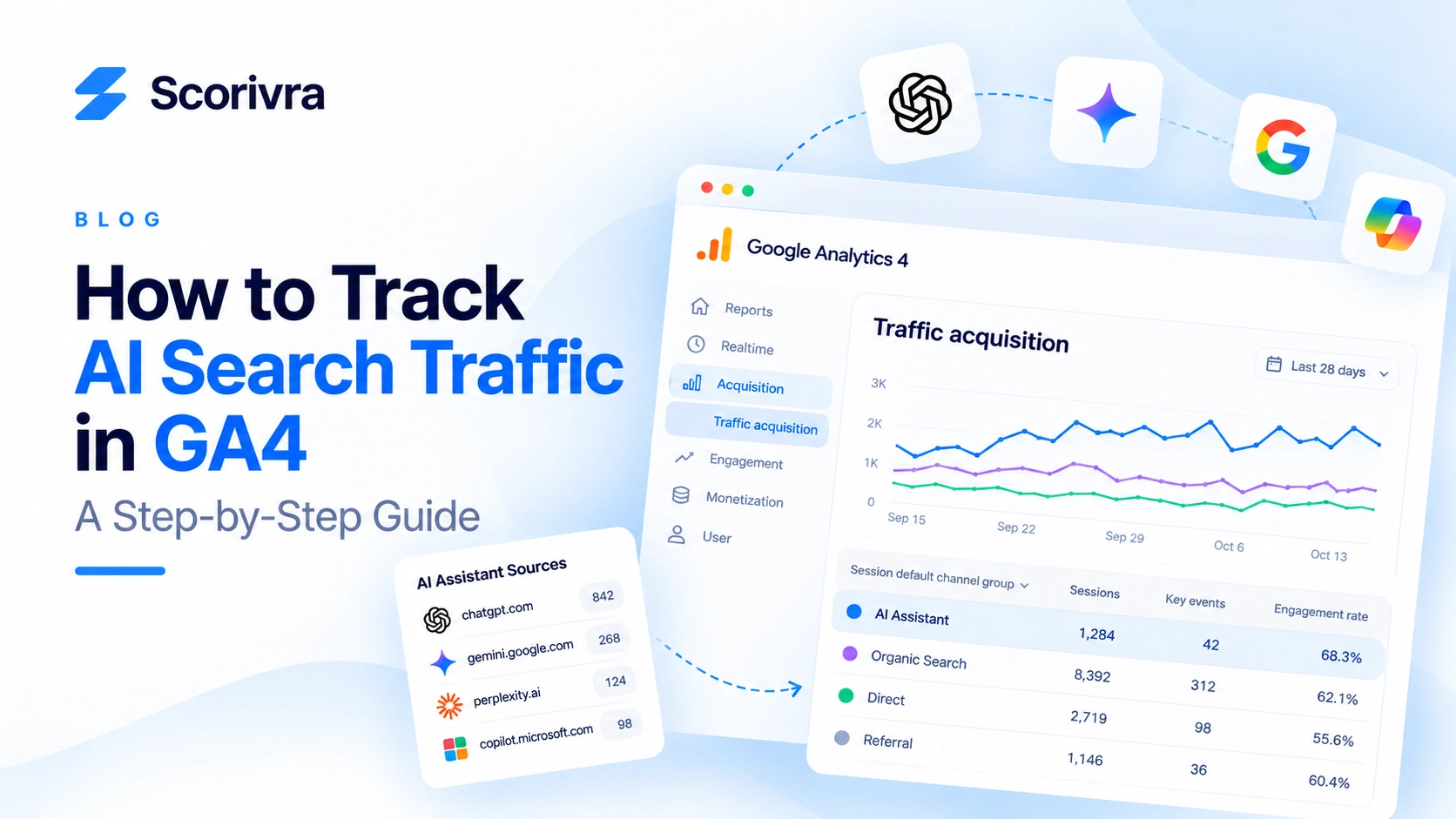
Your business may appear in ChatGPT, Gemini, or other AI-powered search experiences. But how do you know whether those appearances are bringing visitors to your website?
Google Analytics 4 (GA4) can help answer part of that question.
GA4 provides acquisition reports that show where identifiable visits come from, what visitors do after arriving, and whether those visits lead to valuable actions.
It also has an AI Assistant channel classification for recognized assistant referrals.
However, there is an important limitation: GA4 cannot identify every visit influenced by AI search.
Some visits have no usable referral information. Others come through traditional search results after someone discovers a business in an AI-generated answer.
This guide explains how to track identifiable AI assistant traffic in GA4, analyze its performance, and combine traffic data with AI visibility monitoring to understand the bigger picture.
1. What Counts as AI Search Traffic?
Before opening GA4, distinguish three different activities.
AI visibility means your business or website appears in an AI-generated response.
AI referral traffic means someone follows a link from an AI-related source and visits your website, with enough attribution information for analytics to identify the source.
AI-influenced traffic means AI helped someone discover or consider your business, even if the eventual visit came through another channel.
These are not interchangeable.
For example, imagine someone asks ChatGPT for project management software recommendations.
Your brand appears in the answer.
Three outcomes are possible:
- The person clicks a link to your website directly from the AI response.
- The person remembers your brand and searches for it on Google later.
- The person reads the AI response but never visits your website.
The first outcome may appear as an identifiable AI referral in GA4.
The second may appear as organic search or another acquisition channel.
The third produces no website session at all.
This is why measuring AI search performance requires more than counting website visits.
2. Step 1: Open the Traffic Acquisition Report in GA4
Start by signing in to Google Analytics and selecting the correct GA4 property.
Navigate to:
Reports → Acquisition → Traffic acquisition
Depending on your GA4 navigation setup, you may need to open the relevant report collection.
The Traffic acquisition report focuses on the channels and sources that generated sessions.
Look for metrics such as:
- Sessions
- Engaged sessions
- Engagement rate
- Average engagement time per session
- Key events
- Session key event rate
- Revenue, where applicable
These metrics help distinguish visits from meaningful business activity.
For example, an AI referral that generates one qualified demo request may be more valuable than many visits that leave without taking action.
Choose a Useful Date Range
Start with the last 28 or 30 days.
Then compare that period with the previous equivalent period.
If your website receives very little AI-related traffic, consider reviewing a longer window before interpreting trends.
Avoid making decisions based on one or two sessions.
3. Step 2: Check the AI Assistant Channel
GA4's default channel grouping includes an AI Assistant category for recognized AI assistant traffic.
This category can include referrals associated with services such as ChatGPT, Gemini, Copilot, and other supported assistants.
Google's documentation distinguishes AI Assistant traffic from Google's AI Overviews and AI Mode, which are not included in that channel.
How to Find It
In the Traffic acquisition report:
- Locate the primary dimension above the report table.
- Select Session default channel group, if it is not already selected.
- Look for the AI Assistant row.
- Review its sessions, engagement, and key events.
- Compare the results across date ranges.
If the AI Assistant channel does not appear, it does not necessarily mean your brand has no AI visibility.
There may be no recognized AI assistant sessions in the selected period, or the available attribution information may be insufficient.
What the AI Assistant Channel Tells You
It can help answer:
- Are recognized AI assistants sending visitors?
- Is the number of identified AI assistant sessions increasing?
- Do those visitors engage with the website?
- Are they completing valuable actions?
But it cannot answer:
- How often your brand appears in AI answers
- How often your website is cited without receiving a click
- How many users discover your brand through AI and visit later
- Your overall share of AI-generated recommendations
Those questions require additional measurement methods.
4. Step 3: Identify Individual AI Referral Sources
The AI Assistant channel provides an overview.
To investigate individual sources, use the session source and medium dimensions.
In the Traffic acquisition report, change the primary dimension to:
Session source / medium
You can then inspect sources associated with AI assistants.
Possible source values may include domains such as:
chatgpt.comchat.openai.comgemini.google.comperplexity.aicopilot.microsoft.com
These are examples of domains to investigate, not a guarantee that every domain will appear in your reports or be classified identically.
Filter for the sources that actually appear in your data.
Why Source and Medium Matter
The source identifies where a visit was attributed.
The medium describes the acquisition type.
For example, a source might identify a particular assistant while the medium reflects GA4's classification rules.
Do not assume every AI-related source will always be classified as a generic referral.
GA4's channel definitions can evolve, so use the actual source and medium values shown in your property.
Example Analysis
Suppose your report shows the following hypothetical results:
| Source | Sessions | Key events |
|---|---|---|
| AI assistant A | 40 | 3 |
| AI assistant B | 15 | 1 |
| AI assistant C | 10 | 0 |
These numbers are illustrative, not Scorivra customer results.
Assistant A generated the most identifiable sessions and key events during the period.
However, the sample is too small to establish a reliable long-term conversion advantage.
You would need more observations and a consistent comparison period.
5. Step 4: Build an AI Traffic Comparison in GA4
Once you identify relevant traffic sources, compare them with your other acquisition channels.
A useful comparison includes:
- AI Assistant
- Organic Search
- Direct
- Referral
- Organic Social
This helps answer whether AI assistant traffic behaves differently from your existing visitors.
Compare Engagement
Look at engagement rate and average engagement time.
A visitor arriving from an AI answer may already know something about your business.
But that does not guarantee higher engagement.
A user might click simply to verify a claim or compare a competitor.
Compare Key Events
Configure appropriate key events for your business.
For a SaaS product, examples might include:
- Account registration
- Demo request
- Checkout completion
- Subscription purchase
For a local service business, useful events might include:
- Contact form submission
- Appointment request
- Qualified lead submission
Use events that reflect actual business value rather than treating every page view as a conversion.
Use Custom Channel Groups When Necessary
GA4 supports custom channel groups that classify traffic using rules.
If you need a specialized comparison, you can create a custom group for identified AI-related sources.
However, because GA4 already provides an AI Assistant category, first determine whether the default classification meets your needs.
A custom channel group may still be useful when you want to apply your own definitions or compare additional source patterns.
Avoid assuming that custom rules can recover attribution data that GA4 never received.
6. Step 5: Find Which Landing Pages Receive AI Traffic
Knowing that AI assistants send visitors is useful.
Knowing which pages receive those visitors is often more actionable.
Use a GA4 exploration or an appropriately customized report to examine landing pages for the relevant traffic segment.
Useful dimensions include:
- Landing page
- Session source / medium
- Session default channel group
Useful metrics include:
- Sessions
- Engaged sessions
- Key events
- Session key event rate
Questions to Investigate
Which blog posts attract identifiable AI referrals?
Are visitors arriving on educational articles or product pages?
Do they navigate to pricing or feature pages afterward?
Are some landing pages generating engagement but few conversions?
For example, a blog article may receive AI referrals but fail to explain the next step for someone interested in the product.
That is a potential content and conversion-path problem.
It is not necessarily an AI visibility problem.
Improve the Next Step
If a page receives relevant traffic, consider adding:
- A clear product explanation
- A link to a relevant feature page
- A useful free tool
- A contextual call to action
- A direct pricing or subscription link
The goal is to help visitors move from learning about a problem to evaluating a solution.
7. Step 6: Understand Why Some AI Traffic Is Missing
Even with careful GA4 reporting, your AI traffic numbers will be incomplete.
Missing Referral Information
A visit may lack usable referral data.
This can happen because of browser behavior, redirects, privacy controls, or other technical factors.
When GA4 cannot identify a referral source, a session may appear under Direct or another classification.
You cannot reliably determine how many Direct visits were originally influenced by AI.
Google AI Overviews and AI Mode
Google's AI Overviews and AI Mode are not included in GA4's AI Assistant default channel.
A click from one of these experiences should not automatically be interpreted as an identifiable third-party AI assistant referral.
Google Search Console and GA4 answer different questions, and neither provides a complete view of every AI-generated impression and downstream customer journey.
AI Answers Without Clicks
Some users receive the information they need without visiting the cited website.
In those cases, GA4 records no website session.
Your business may have gained visibility, but there is no direct visit to attribute.
Delayed Brand Searches
A customer may discover your company in an AI response, then search for the company by name later.
That later visit may be attributed to Google Search.
GA4 generally cannot establish that the earlier AI interaction caused the later visit.
Important: Do not label all unexplained Direct or branded organic traffic as AI-generated traffic.
That would overstate what the data can prove.
8. Step 7: Combine GA4 With AI Visibility Monitoring
GA4 helps measure identifiable visits and on-site actions.
But it does not measure how frequently your business appears in AI-generated answers.
For that, you need a separate AI visibility measurement process.
A useful approach is to track a consistent set of customer-relevant questions and observe:
- Brand mentions
- Website citations
- Recommendation positions
- Share of voice
- Competitor appearances
- Changes over time
Then compare those observations with GA4 acquisition and conversion trends.
Example: Visibility Improves, but Traffic Does Not
Imagine your business appears in more tracked AI answers this month.
However, your GA4 AI Assistant sessions remain unchanged.
Possible explanations include:
- The AI responses satisfy users without requiring a click.
- Your brand is mentioned without a clickable website citation.
- The measured questions do not represent a large volume of actual user activity.
- Referral attribution is incomplete.
- The observed visibility improvement has not translated into visits.
These are hypotheses to investigate, not conclusions that can be established from GA4 alone.
Example: AI Traffic Increases, but Conversions Do Not
Now imagine identified AI Assistant sessions increase while key events remain flat.
That may indicate a problem with:
- Landing-page relevance
- Product positioning
- Conversion paths
- Calls to action
- Visitor intent
In this situation, creating more AI-focused content may not be the highest-priority action.
Improving the experience after the click could be more valuable.
9. How Scorivra Helps Connect AI Visibility With Website Performance
If you are using GA4 alone, you can analyze identifiable traffic sources and visitor behavior.
But you still need a way to understand whether your brand is appearing in the AI answers customers see.
Scorivra brings these different measurement areas into one workflow.
AI Visibility
Scorivra monitors selected questions across ChatGPT, Gemini, and Google AI Mode.
It helps you examine:
- Whether your brand is mentioned
- Whether your website is cited
- Where competitors appear instead
- How recommendation positions and share of voice change
- Which tracked questions reveal visibility gaps
These are observations from monitored questions, not estimates of every real-world AI search.
Performance
Scorivra's Performance area uses connected Google Analytics 4 and Google Search Console data to help you review:
- Search impressions and clicks
- Website sessions and acquisition trends
- Engagement and key actions
- Changes across reporting periods
The two areas answer complementary questions.
AI Visibility: Is your brand appearing in relevant AI answers?
Performance: Are identifiable visitors reaching your website and taking valuable actions?
Together, they provide a more useful basis for deciding what to improve next.
Stop Guessing Whether AI Visibility Is Producing Results
If you are investing time in SEO, GEO, and AI search optimization, you should be able to evaluate more than whether your brand appeared in a single response.
Start tracking the questions that matter to your business, compare your visibility with competitors, and review what happens after visitors reach your website.
Explore Scorivra AI Visibility
Ready to make AI visibility a measurable part of your marketing strategy?
View Scorivra plans and choose a subscription
You can also start with a free Scorivra Site Audit to identify technical issues worth addressing before expanding your monitoring workflow.
10. A Monthly AI Search Performance Checklist
Use the following checklist when reviewing your results.
- Review GA4's AI Assistant channel.
- Check identifiable AI-related session sources.
- Compare sessions with the previous reporting period.
- Review engagement and key events.
- Identify the landing pages receiving AI referrals.
- Check whether those pages have useful next steps.
- Compare relevant Google Search Console trends.
- Review AI mentions and citations across a consistent question set.
- Identify competitor and citation gaps.
- Decide whether the next priority is visibility, content quality, or conversion optimization.
Repeat the process over comparable periods.
For low-volume websites, avoid drawing strong conclusions from short-term fluctuations.
Frequently Asked Questions
Can Google Analytics 4 track ChatGPT traffic?
GA4 can identify some traffic from ChatGPT when sufficient referral or campaign information is available. Recognized AI assistant referrals may appear in the AI Assistant channel. It cannot identify every visit influenced by ChatGPT.
Does GA4 have an AI traffic channel?
Yes. GA4's default channel grouping includes an AI Assistant category for recognized assistant traffic. Google's AI Overviews and AI Mode are excluded from that category.
How do I find AI referrals in GA4?
Open the Traffic acquisition report, review the AI Assistant channel, and inspect Session source / medium for individual sources. Use an exploration when you need a more detailed breakdown.
Can I measure AI Overview traffic separately in GA4?
Do not assume GA4 can isolate every visit from Google's AI Overviews. The AI Assistant channel does not include AI Overviews or AI Mode, and standard acquisition data may not identify the specific Google search experience responsible for a visit.
Why does my AI visibility increase without more traffic?
An AI answer may mention your business without sending visitors. Users may receive complete answers, follow other sources, or visit through a different channel later. Visibility and website traffic are separate measurements.
Should I add UTM parameters to my website links?
Use UTM parameters for campaign links you control, such as social posts, email campaigns, and paid promotions.
Do not add arbitrary UTM parameters to every internal website link. Doing so can interfere with acquisition analysis.
For AI assistant referrals, GA4 may use recognized referral information even when no UTM parameters are present.
What is the best metric for AI search performance?
There is no single universal metric.
Use mentions and citations to evaluate visibility across tracked questions, identifiable sessions to evaluate traffic, and key events or conversions to evaluate business outcomes.
Final Thoughts
AI search performance cannot be measured accurately with website traffic alone.
GA4 can show identifiable AI assistant referrals, landing-page behavior, and conversions.
But it cannot capture every brand mention, website citation, or AI-influenced customer journey.
A practical measurement strategy combines:
AI visibility → Identifiable traffic → Engagement → Conversions
Start by understanding what GA4 can measure.
Then monitor relevant AI search questions to understand where your business appears and where competitors are winning attention.
Finally, use both sets of information to decide whether you need better visibility, stronger landing pages, or a clearer conversion path.
Want to move beyond manual checks and scattered reports?
Explore Scorivra's AI Visibility and Performance features and choose a plan that fits your business.