
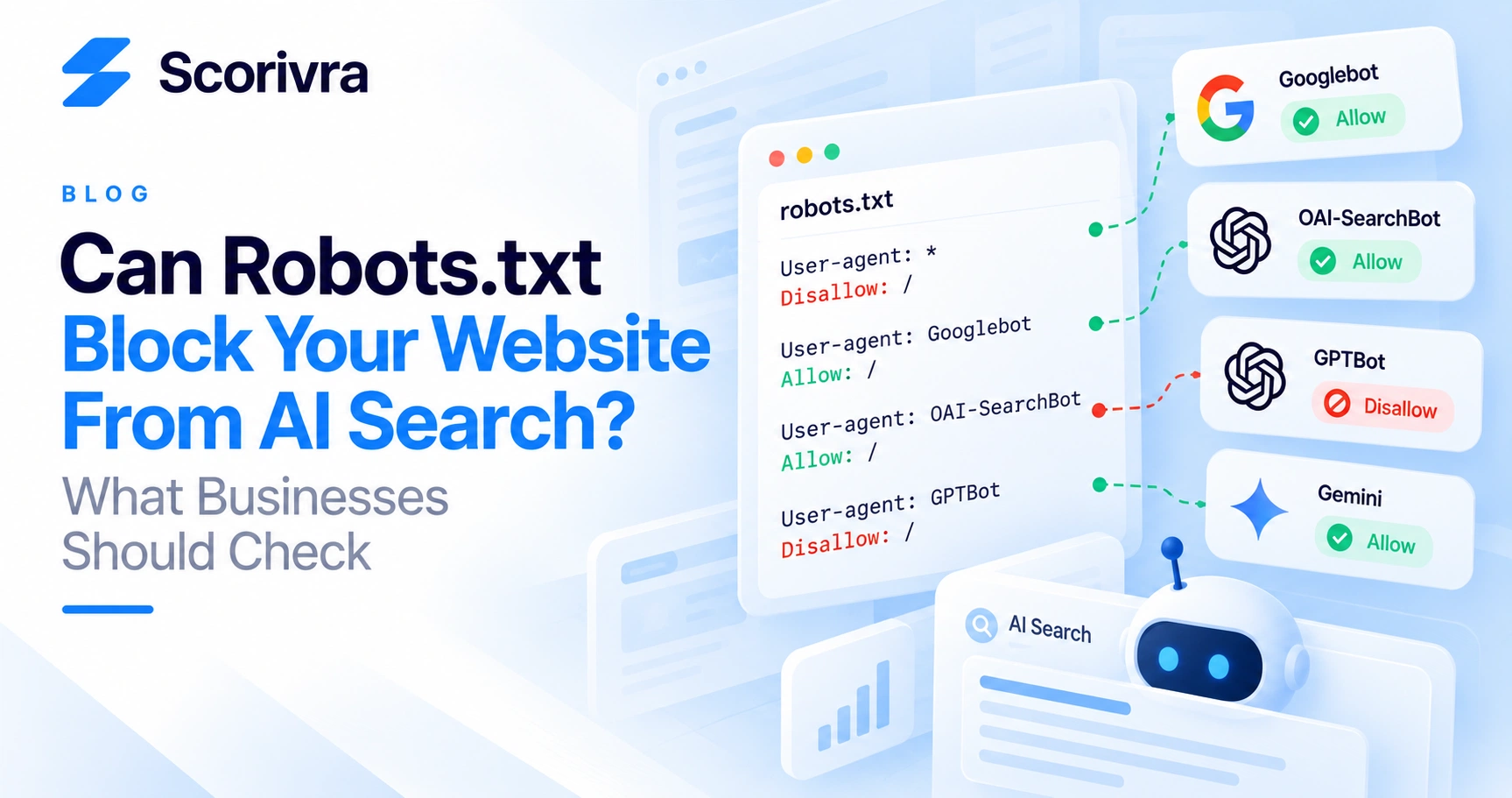
Can Robots.txt Block Your Website From AI Search? What Businesses Should Check
You publish useful content.
Your pages are public.
Google can find at least some of them.
But your business rarely appears or gets cited when people ask relevant questions in AI search.
Could robots.txt be part of the problem?
Yes—in some cases.
But the answer depends on which system you are talking about.
Google Search, Google's AI features, ChatGPT Search, and AI model training do not all use the same crawler controls.
The most important distinction is this:
Blocking an AI training crawler is not necessarily the same as blocking an AI search crawler.
Before changing your robots.txt file, understand what each crawler does and what you actually want to allow.
What Is Robots.txt?
A robots.txt file tells compliant web crawlers which parts of your website they are allowed to crawl.
It usually lives at:
https://example.com/robots.txt
A simple file might look like this:
User-agent: * Allow: /
That generally allows compliant crawlers to access the site.
A restrictive rule might look like this:
User-agent: * Disallow: /
That tells compliant crawlers not to crawl the site.
The important word is crawl.
Robots.txt primarily controls crawler access. It should not be treated as a universal switch for every type of indexing, search appearance, AI training, or AI visibility.
Can Robots.txt Affect Google AI Overviews and AI Mode?
Yes.
Google says the same foundational SEO requirements that apply to Google Search also apply to its generative AI features, including AI Overviews and AI Mode.
To be eligible to appear as a supporting link in those experiences, a page must be indexed and eligible to appear in Google Search with a snippet.
Google also specifically recommends making sure crawling is allowed through robots.txt, CDN rules, and hosting infrastructure.
There is no separate AI crawler that businesses need to enable specifically for Google AI Overviews or AI Mode.
Googlebot remains the relevant crawler control for Google Search.
This means:
If you block Googlebot from important content, you may also prevent Google from properly crawling the content needed for Search and its AI features.
Google does not require a special AI schema, AI text file, or separate machine-readable file to become eligible for AI Overviews or AI Mode.
Standard search accessibility remains foundational.
Does Google-Extended Control AI Overviews or AI Mode?
No.
This distinction is easy to misunderstand.
Google-Extended is a control that publishers can use for certain Gemini model training and grounding uses.
Google states that Google-Extended does not control whether content can appear in Google Search features such as AI Overviews or AI Mode.
Google Search crawling is controlled through Googlebot.
So these are not equivalent:
Googlebot → Google Search crawling and Search AI feature eligibility
Google-Extended → controls certain uses of site content for Gemini-related model training and grounding outside normal Google Search crawling
Blocking Google-Extended should therefore not be interpreted as opting out of AI Overviews or AI Mode.
Can Robots.txt Affect Whether You Appear in ChatGPT Search?
Yes.
OpenAI states that public websites can appear in ChatGPT Search.
For site content to be included in ChatGPT summaries and snippets, OpenAI recommends allowing OAI-SearchBot to access the site.
If your robots.txt blocks OAI-SearchBot, your content may not be available for those summaries and snippets.
This creates an important diagnostic check for businesses that want ChatGPT Search visibility:
Is OAI-SearchBot allowed to crawl the pages you want ChatGPT to discover and cite?
OpenAI also notes an important nuance.
Even when a page is disallowed, OpenAI may learn about its URL through third-party search providers or other crawled pages and may, in some circumstances, surface only the page title and link.
Crawler access and URL discovery are therefore not exactly the same thing.
Are OAI-SearchBot and GPTBot the Same?
No.
This is one of the most important distinctions for website owners.
What Is OAI-SearchBot?
OAI-SearchBot is associated with search discovery.
OpenAI recommends allowing it if you want your website content to be discoverable and included in ChatGPT Search summaries and snippets.
What Is GPTBot?
GPTBot relates to whether website content may be used for model training.
OpenAI tells publishers who want to exclude pages from potential training to disallow GPTBot.
That means a business can make different decisions about search visibility and model training.
Conceptually:
| Crawler | Primary purpose | Why a business may allow it | |---|---|---| | OAI-SearchBot | ChatGPT search discovery | To make content accessible for ChatGPT Search | | GPTBot | Potential model training | Allow only if your policy permits this use | | Googlebot | Google Search crawling | To remain crawlable for Google Search and eligible Google AI search features |
Do not assume that blocking GPTBot automatically means you must block OAI-SearchBot.
They serve different purposes.
Can I Allow ChatGPT Search but Block OpenAI Training?
Based on OpenAI's published crawler controls, yes.
A publisher can distinguish between OAI-SearchBot and GPTBot.
For example, the intent could be:
- allow OAI-SearchBot for ChatGPT Search discovery
- disallow GPTBot for model training
The exact robots.txt configuration should be reviewed carefully before deployment.
The important point is that search visibility and training permission are separate decisions.
Businesses should decide each intentionally rather than using a blanket block without understanding the consequences.
What Happens If I Block Every AI Crawler?
The result depends on which crawlers you block.
A rule targeting every unfamiliar bot may unintentionally remove access you actually wanted to preserve.
For example:
- blocking OAI-SearchBot can affect ChatGPT Search access to your content
- blocking Googlebot can affect Google Search crawling and therefore eligibility for Google's AI search features
- blocking GPTBot addresses a different use case involving potential model training
This is why copying an aggressive "block all AI bots" robots.txt template from another website can be risky.
The other website may have completely different goals.
Does Allowing a Crawler Guarantee AI Visibility?
No.
Crawler access is an eligibility condition, not a visibility guarantee.
Allowing OAI-SearchBot does not guarantee that ChatGPT will mention or cite your website.
Allowing Googlebot does not guarantee that your page will appear in Google Search, AI Overviews, or AI Mode.
Google explicitly states that meeting its technical requirements and best practices does not guarantee crawling, indexing, or serving.
The same general distinction is useful when diagnosing AI visibility:
Accessible does not mean selected.
A page first needs to be accessible to the relevant system.
After that, relevance, quality, evidence, context, and other system-specific processes can determine whether it is actually surfaced.
Why Can My Site Be Crawlable but Still Not Appear in AI Search?
Crawler access is only one layer.
Imagine this diagnostic sequence:
- Can the system access the page?
- Can it understand what the page is about?
- Is the page relevant to the question?
- Does the page provide clear and useful information?
- Are important claims supported?
- Can the business or author be identified?
- Does the system choose the page as a source?
- Does it mention or recommend the brand?
Passing step one does not guarantee steps two through eight.
This is why crawler configuration should be treated as a technical prerequisite rather than an AI visibility strategy by itself.
Should I Create an llms.txt File for Google AI Search?
Not for Google Search visibility.
Google's current guidance explicitly says that businesses do not need to create new AI-specific text files or machine-readable files to appear in AI Overviews or AI Mode.
Google's newer generative AI optimization guidance also states that maintaining an llms.txt file neither helps nor harms visibility or rankings in Google Search because Google Search ignores it.
That does not mean every other AI service treats llms.txt the same way.
It means you should not implement llms.txt because you believe Google requires it for AI Overviews or AI Mode.
It does not.
What Should You Check in Robots.txt?
Start with the file itself.
Open:
https://yourdomain.com/robots.txt
Then review these questions.
1. Is Googlebot blocked?
Look for rules targeting:
Googlebot
or broad rules such as:
User-agent: * Disallow: /
If important public pages are blocked, investigate why before changing anything.
2. Is OAI-SearchBot blocked?
If ChatGPT Search visibility matters to your business, check whether OAI-SearchBot is explicitly disallowed or caught by broader crawler rules.
3. Is GPTBot blocked intentionally?
If GPTBot is blocked, determine whether that was a deliberate training-policy decision.
Do not automatically treat a GPTBot block as a technical SEO error.
4. Are important directories blocked?
A site may allow crawlers generally while accidentally blocking important areas such as:
/blog/ /services/ /locations/ /resources/
Check the actual paths containing content you want discovered.
5. Is something outside robots.txt blocking crawlers?
Robots.txt is not the only possible barrier.
Also investigate:
- CDN bot protection
- firewall rules
- authentication
- server responses
- JavaScript rendering
- noindex directives
- canonical configuration
- accidental staging restrictions
Google specifically recommends checking both robots.txt and hosting/CDN infrastructure when diagnosing crawling accessibility.
What Is the Difference Between Robots.txt and Noindex?
They solve different problems.
robots.txt controls whether compliant crawlers may crawl a URL.
noindex tells supported search systems not to index a page.
This distinction matters because a crawler generally needs access to the page to read a page-level noindex directive.
OpenAI makes a similar point in its publisher guidance: if you want its crawler to read a noindex meta tag, the crawler needs permission to access the page.
Do not use robots.txt and noindex interchangeably without understanding the desired outcome.
How Does This Connect to a Site Audit?
Crawler accessibility belongs near the beginning of technical diagnosis.
There is little value in optimizing a page for AI citation if the systems you want to reach cannot reliably access the page.
Scorivra's Site Audit includes SEO, AEO, GEO, and Local checks.
The SEO audit focuses on technical signals including crawlability, indexing, metadata, and document structure.
The GEO audit examines evidence and source-related signals such as citations, sources, authorship, and generative-search trust.
These answer different questions.
SEO technical check: Can search systems reliably discover and interpret the page?
GEO check: Does the page expose useful evidence and source signals for generative search?
A technically accessible page can still have weak GEO signals.
A page with strong evidence can still have a fundamental crawling problem.
That is why both layers matter.
You can run the full Scorivra Site Audit here:
https://scorivra.com/free-site-audit
Does Passing a Site Audit Mean I Will Appear in ChatGPT or Google AI Search?
No.
A Site Audit measures technical readiness and detectable website signals.
It does not guarantee a mention, citation, ranking, or recommendation.
Actual visibility must be measured separately.
Scorivra's AI Visibility feature tracks selected questions across:
- ChatGPT
- Gemini
- Google AI Mode
It measures signals including:
- Mention
- Citation
- Position
- Share of Voice
This is different from the Site Audit.
The audit identifies potential website-side problems.
AI Visibility measures what actually happens in AI answers.
If you want to understand the difference between being mentioned and being used as a source, read:
https://scorivra.com/blog/ai-search-mentions-vs-citations-whats-the-difference-and-what-should-you-track
What About AI Local Grid?
AI Local Grid is another separate measurement.
Scorivra's AI Local Grid evaluates the same local-intent question across a 9×9 geographic grid of 81 locations using Gemini.
It helps answer:
Where across my local market does AI mention or recommend my business?
It does not measure ChatGPT.
That differs from broader AI Visibility, which tracks selected questions across ChatGPT, Gemini, and Google AI Mode without treating them as geographic grid measurements.
Keeping these systems separate prevents technical accessibility, general AI visibility, and geographic AI visibility from being confused with one another.
A Practical AI Crawler Checklist
Before changing your robots.txt file, check:
- [ ] Can Googlebot crawl important public pages?
- [ ] Is OAI-SearchBot allowed if ChatGPT Search visibility matters?
- [ ] Is GPTBot configured according to your training preference?
- [ ] Are important service, product, blog, and location directories accessible?
- [ ] Are CDN or firewall rules blocking legitimate crawlers?
- [ ] Are important pages accidentally marked noindex?
- [ ] Are canonical URLs configured correctly?
- [ ] Is important information available in crawlable text?
- [ ] Can users and crawlers reach important pages through internal links?
- [ ] Have you tested important URLs after making crawler changes?
Most importantly:
Do not change crawler rules simply because a template labels a bot as "AI."
First identify what the crawler does and whether its purpose aligns with your business goals.
FAQ
Can robots.txt stop my website from appearing in ChatGPT Search?
Blocking OAI-SearchBot can prevent OpenAI from accessing page content for ChatGPT Search summaries and snippets. OpenAI recommends allowing OAI-SearchBot when publishers want their content to be discoverable and surfaced in ChatGPT Search.
Do I need to allow GPTBot to appear in ChatGPT Search?
OpenAI documents GPTBot and OAI-SearchBot separately. GPTBot is associated with potential model training, while OAI-SearchBot is the relevant crawler for ChatGPT Search discovery.
Does Google use a special AI crawler for AI Overviews?
Google's current guidance says eligibility for AI Overviews and AI Mode relies on normal Google Search technical requirements. Googlebot controls Search crawling.
Will blocking Google-Extended remove me from AI Overviews?
Google says Google-Extended is not the control for Google Search features such as AI Overviews and AI Mode. Googlebot remains the relevant crawler for Search.
Do I need special AI schema to appear in Google AI Mode?
No. Google explicitly says there is no special schema.org markup required for AI Overviews or AI Mode.
Structured data can still help Google understand page content and support eligible Search features, but it should accurately match visible page content.
For more on this distinction, read:
https://scorivra.com/blog/does-schema-markup-help-ai-search-visibility-what-businesses-should-know
Does llms.txt improve Google AI visibility?
Google says no. Its current generative AI Search guidance states that Google Search ignores llms.txt, so maintaining one does not improve or reduce Google Search visibility or rankings.
If every crawler is allowed, will my AI visibility improve?
Not automatically.
Crawler access removes one possible technical barrier. It does not guarantee that an AI system will select, cite, mention, or recommend your content.
Final Takeaway
If your business cares about AI search visibility, crawler configuration deserves attention—but "allow all AI bots" and "block all AI bots" are both overly simplistic strategies.
Start by separating the purposes:
Googlebot → Google Search and Google's Search AI features
OAI-SearchBot → ChatGPT Search discovery
GPTBot → potential OpenAI model training
Then decide what your business actually wants.
After accessibility is confirmed, move deeper into content structure, evidence, authorship, relevance, citations, and actual AI visibility measurement.
The useful workflow is:
Crawlability → Indexability → Understanding → Evidence → AI Visibility
If the first layer is broken, improving the later layers may not solve the underlying problem.